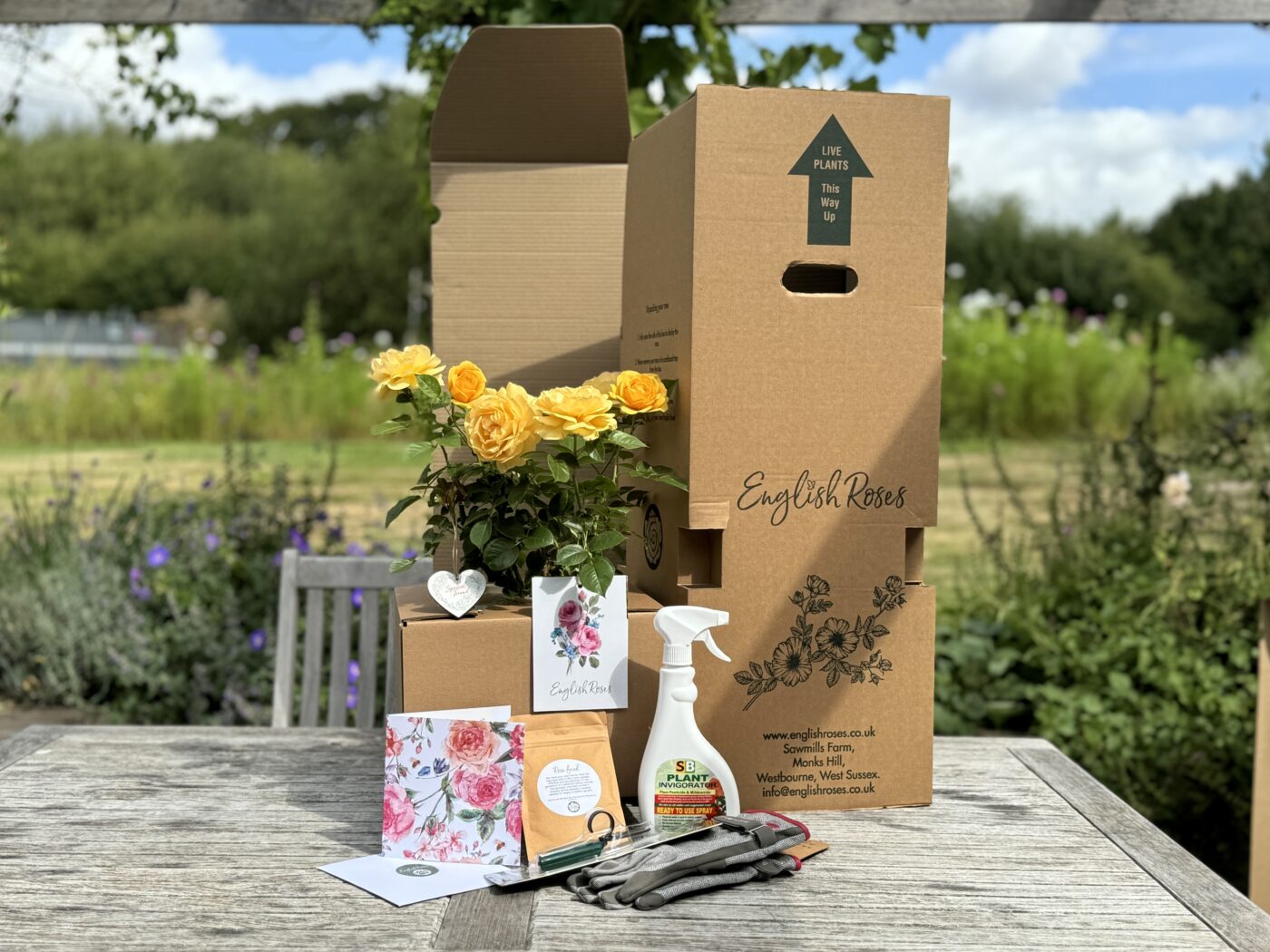
Follow our easy step-by-step guide on how to order a rose from English Roses.
1. Browse the Website #
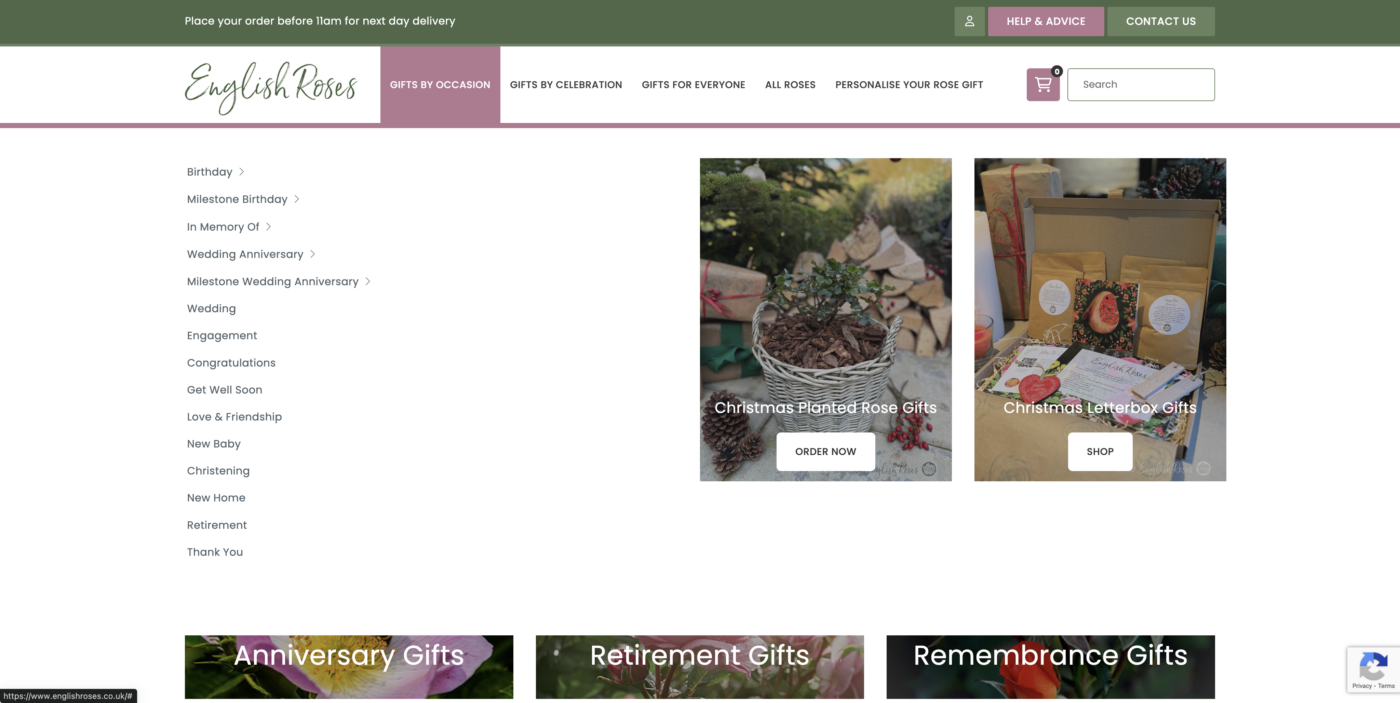
Go to www.englishroses.co.uk and browse our different roses.
We have categories with specially selected roses to suit different occasions and recipients.
2. Choose a Rose #
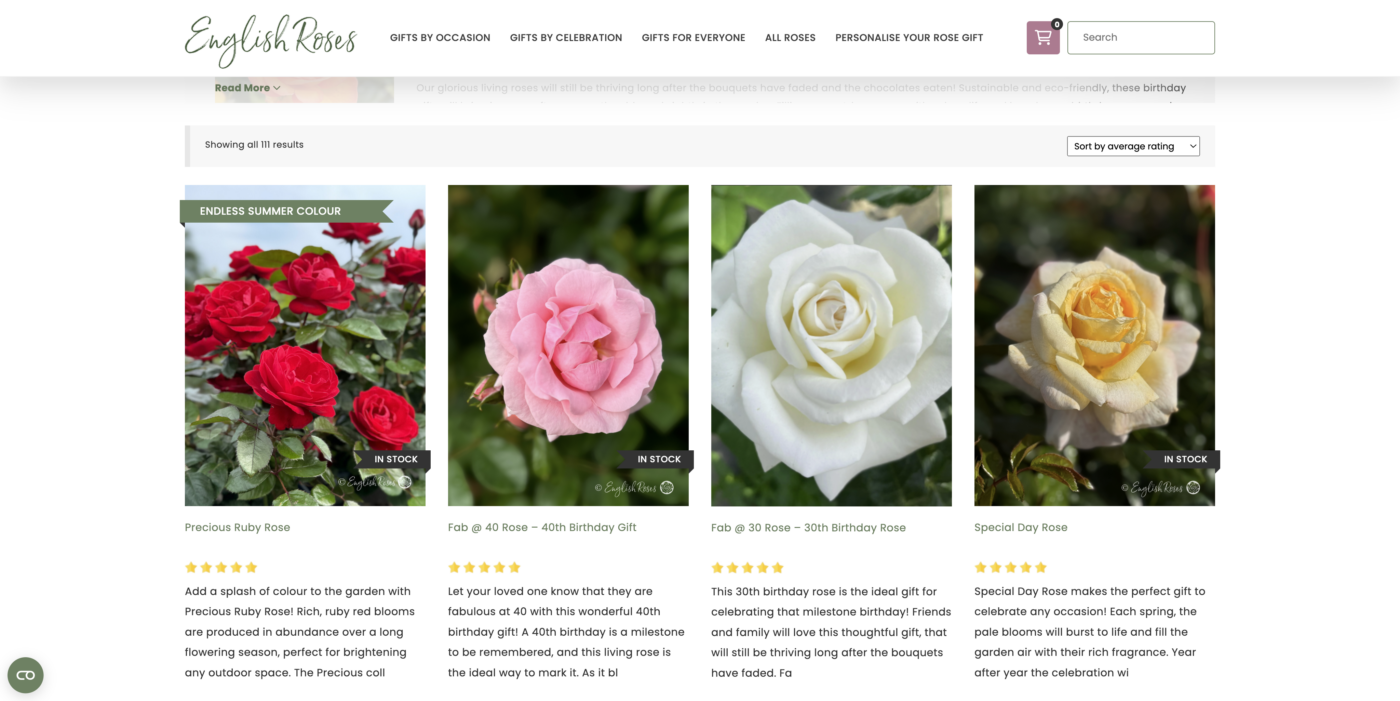
We have a wide variety of different roses with fantastic names, beautiful colours and wonderful scents.
3. Read About Your Chosen Rose #
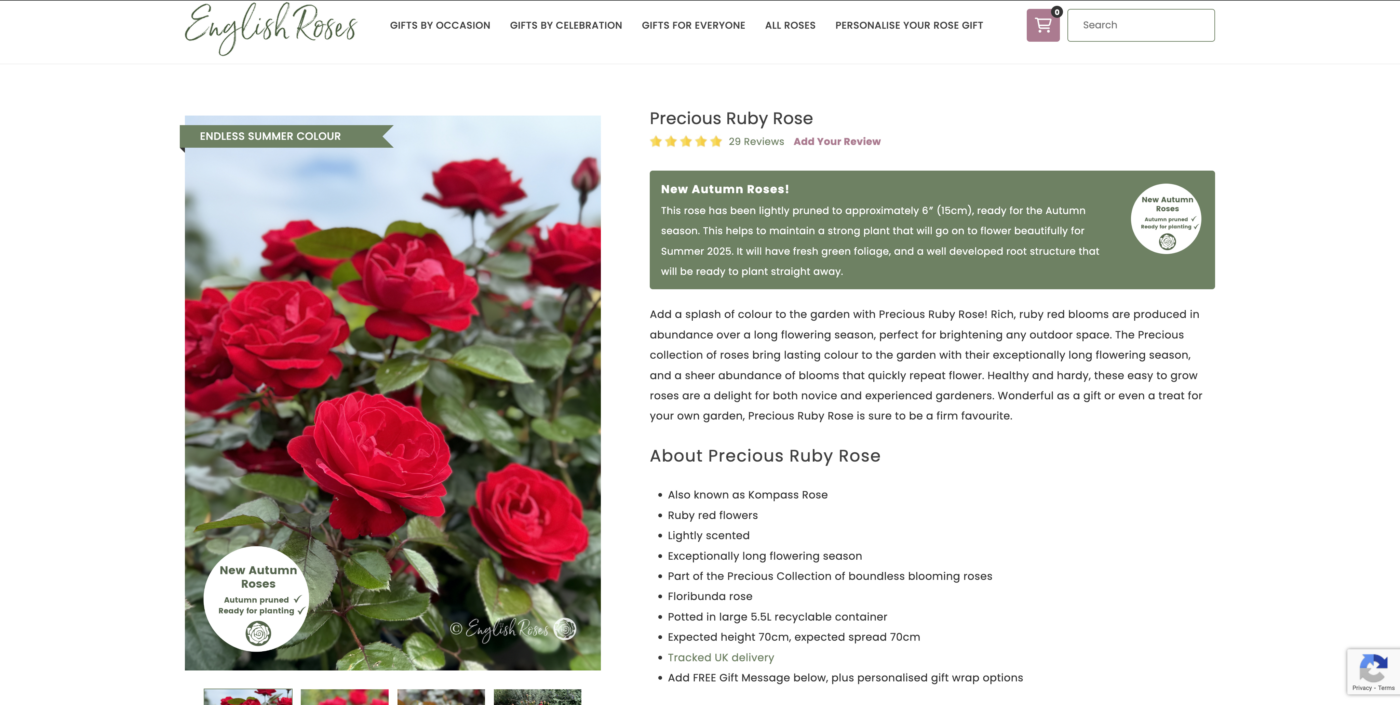
There is lots of useful information about each rose. Read about the variety name, colour, scent and size. It also contains information about care, delivery and gift wrapping your rose.
4. Add to Basket #
When you are happy with your selection, click add to basket. This will bring up the optional gift wrap menu.
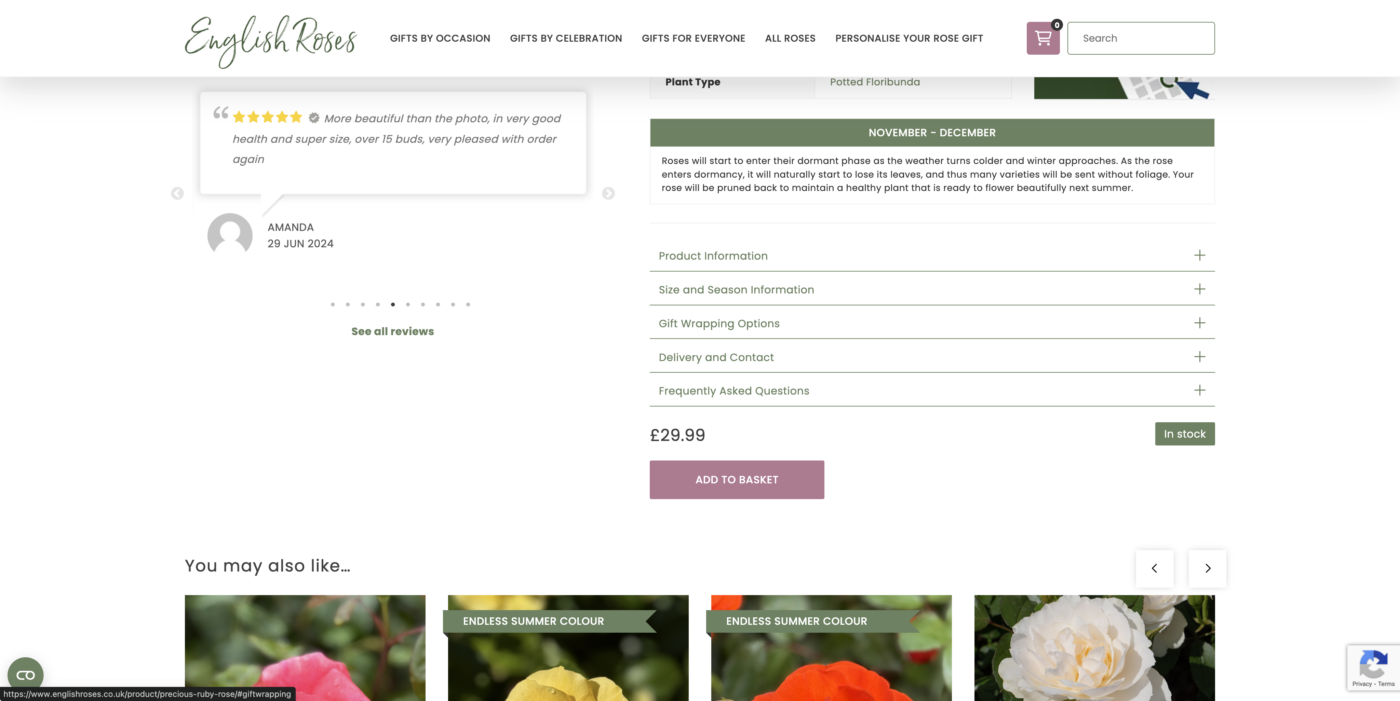
5. Add a FREE Gift Message #
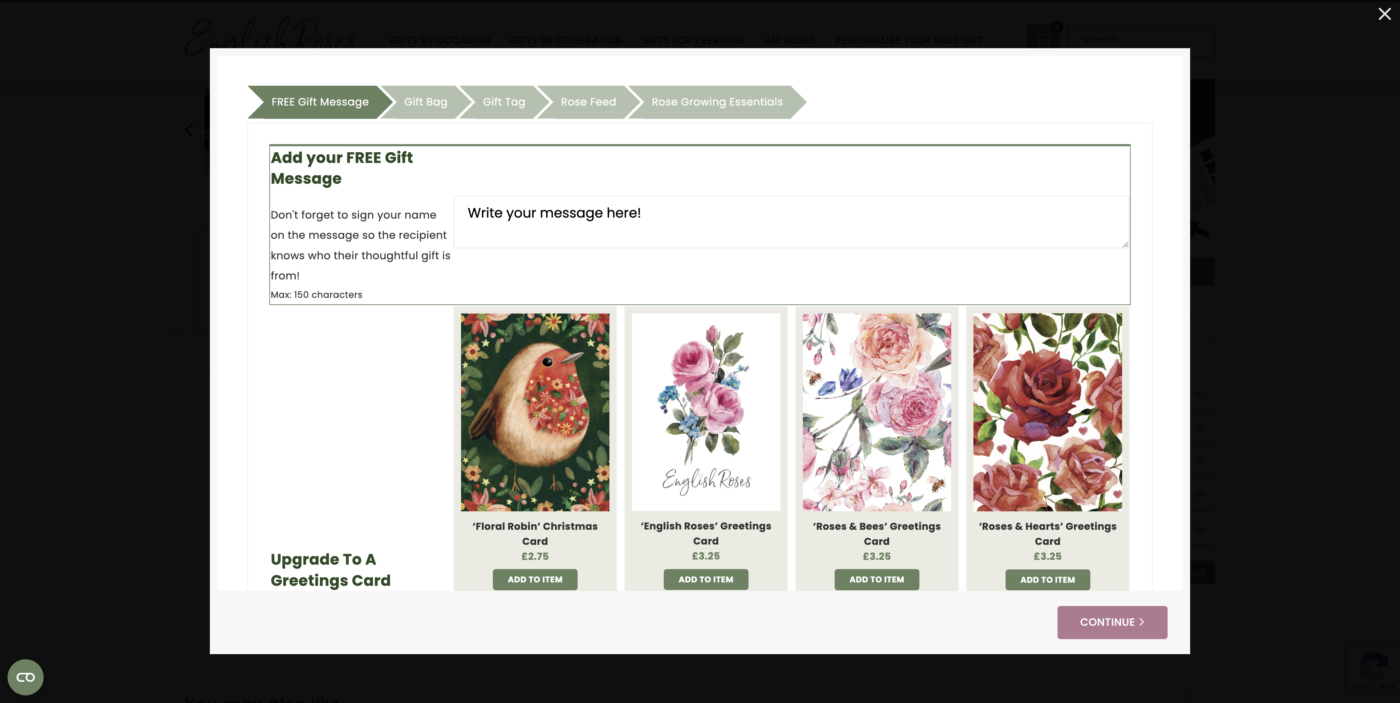
If you would like to add a gift message, write it in the textbox provided. This will then be printed on a gift tag along with the variety name and basic care information.
If you would like to skip this, click ‘Continue’.
6. Upgrade to a Greetings Card #
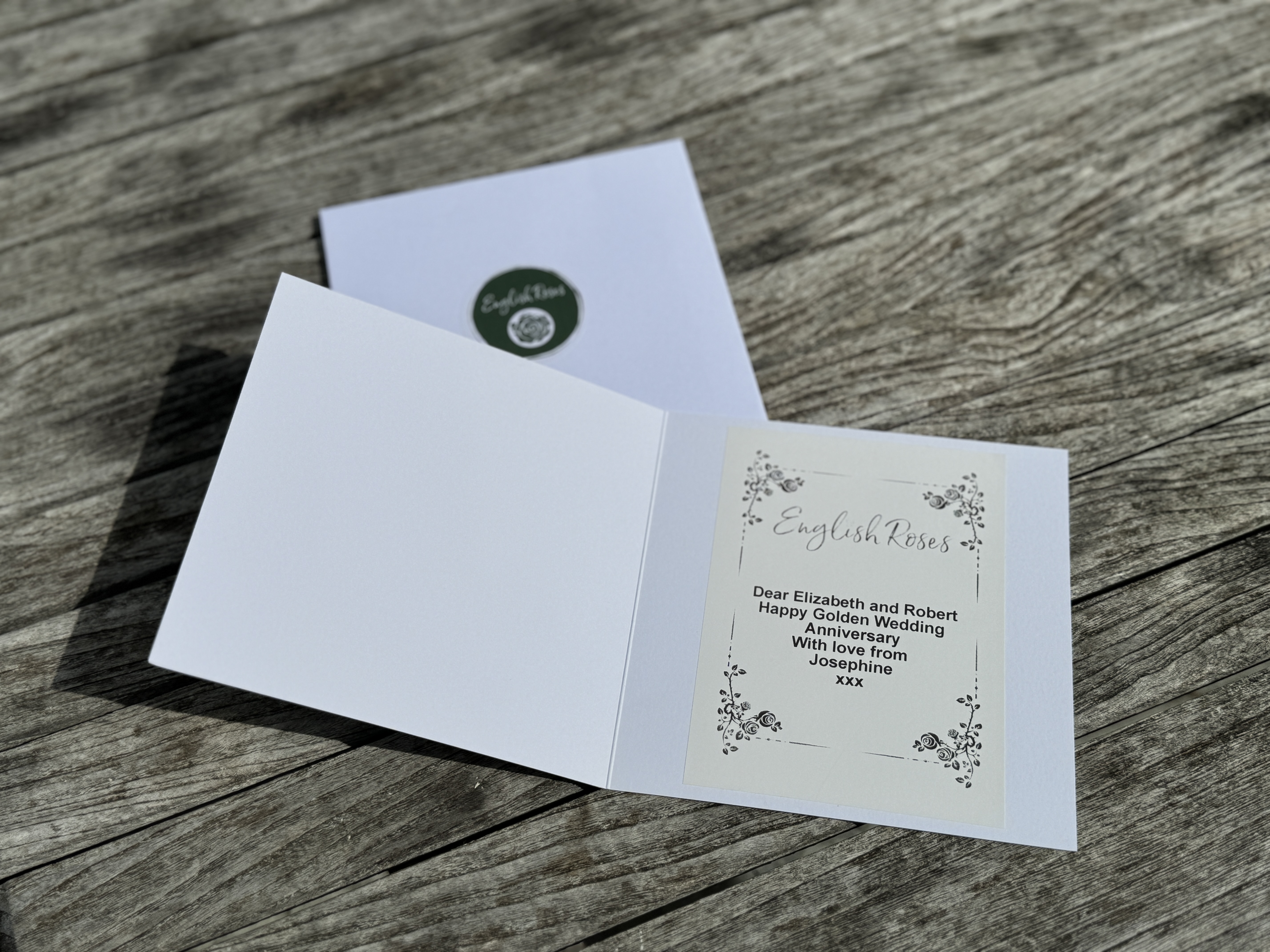
You can also choose to upgrade your message to a greetings card. We have a range of different style cards to suit every occasion. Your message will be printed inside the card on a bespoke label.
7. Add a Gift Bag or Basket #
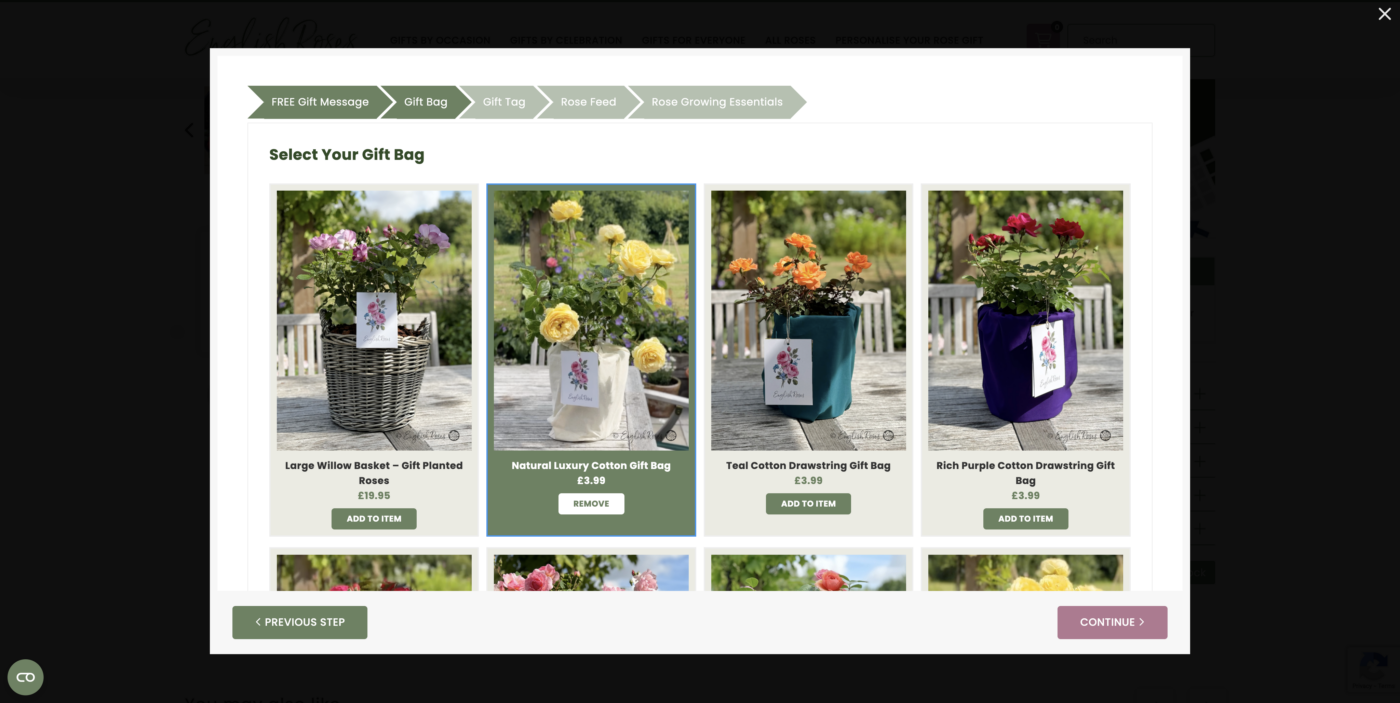
We also have a selection of colourful drawstring cotton bags to go around potted roses. These are reusable and compostable making them eco-friendly and great for adding an extra special touch.
We also have the option to plant the rose for you in a large willow basket. Your chosen rose will be expertly planted with all the nutrients it needs to stay in there for around 2 years! Just add water, this is a hassle-free garden ready gift!
8. Add a Wooden Gift Tag #
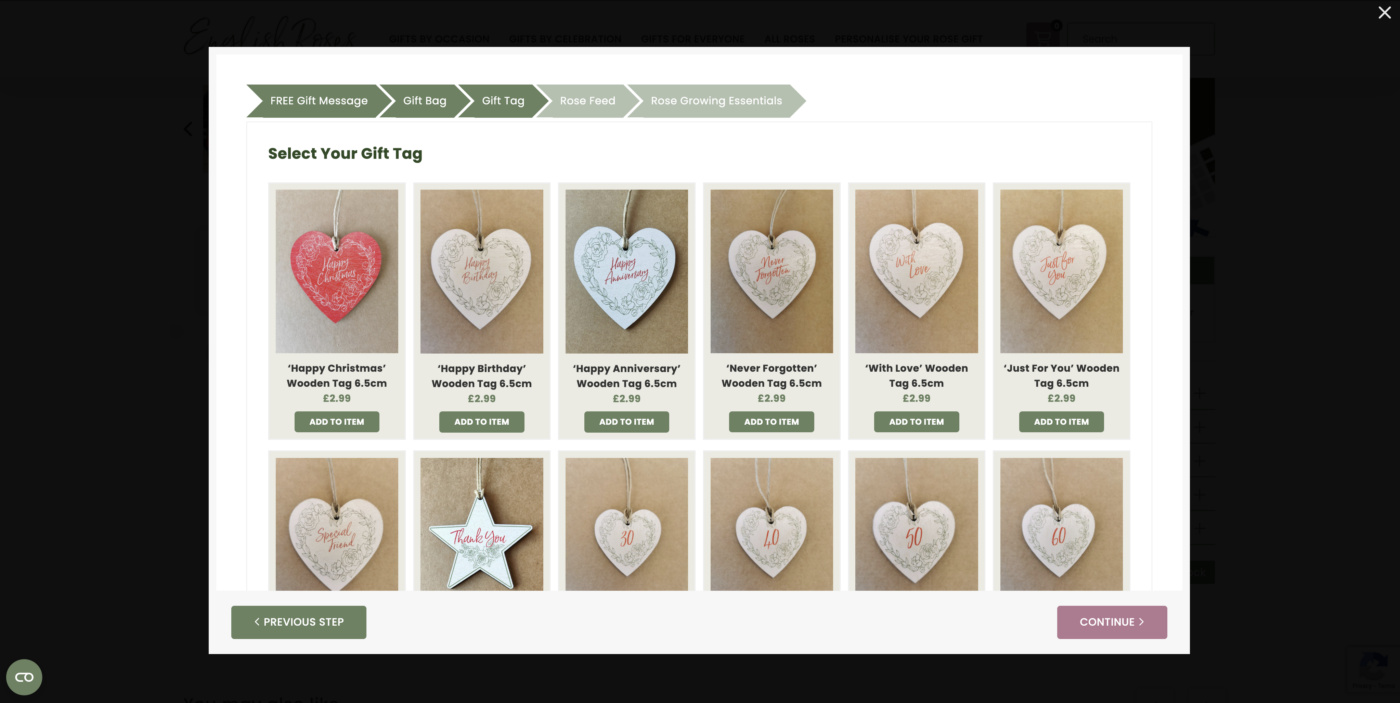
We also have a range of wooden gift tags to hang on the rose. Containing different sentiments and milestones, these eco-friendly tags make wonderful keepsakes for any occasion.
9. Add a Sachet of Rose Feed #
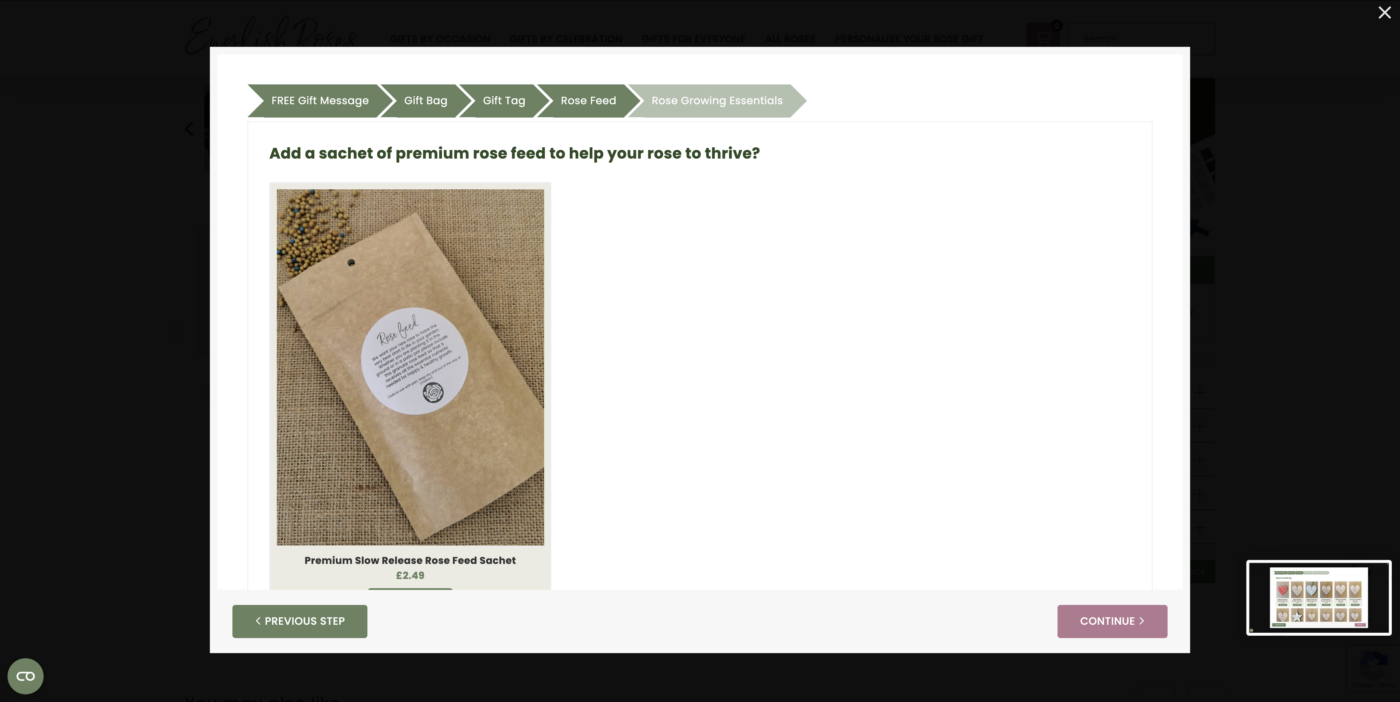
You can also add a sachet of rose feed to keep your rose happy and healthy.
10. Add Gardening Essentials #
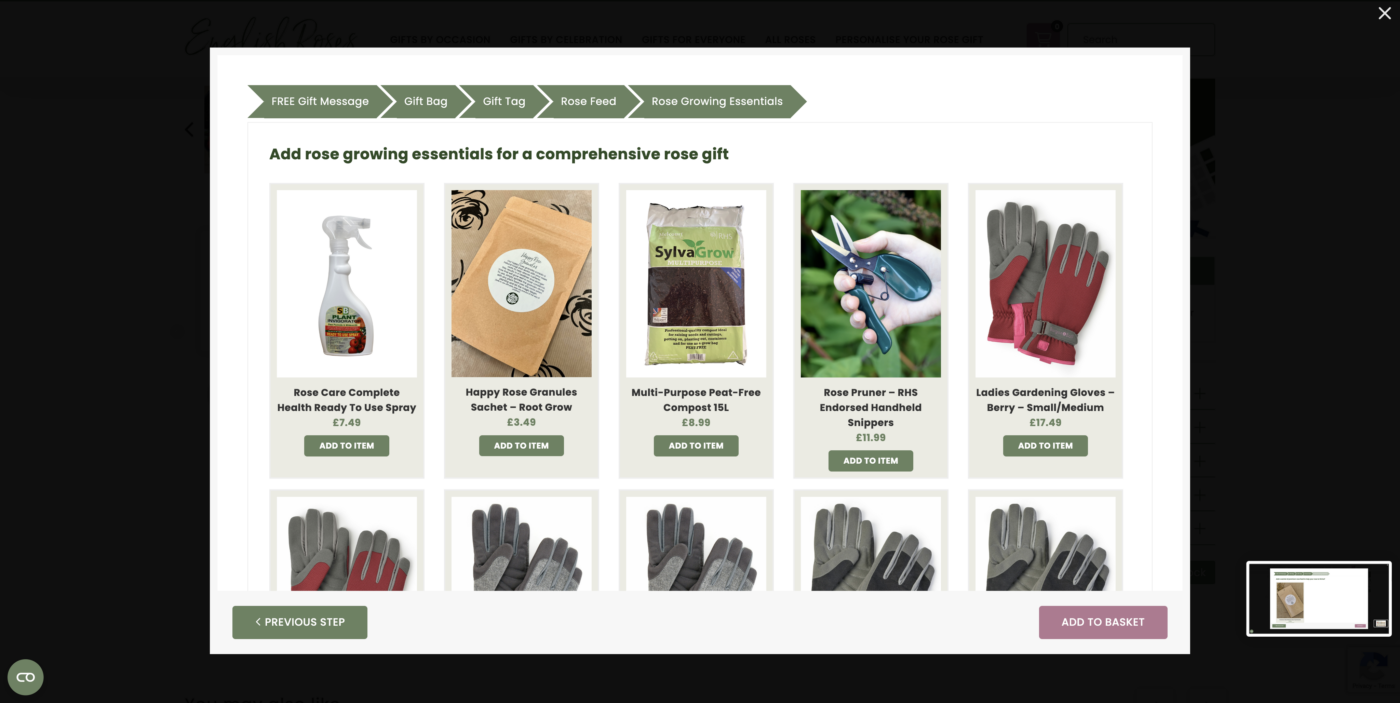
We also stock a range of gardening essentials such as rose spray, pruners, gardening gloves and compost.
Then click ‘Add to Basket’.
If you don’t want to add any of these extras, just click ‘Add to Basket’. Only items that have been clicked on will be added and they are completely optional.
11. Keep Shopping or Go to Checkout #
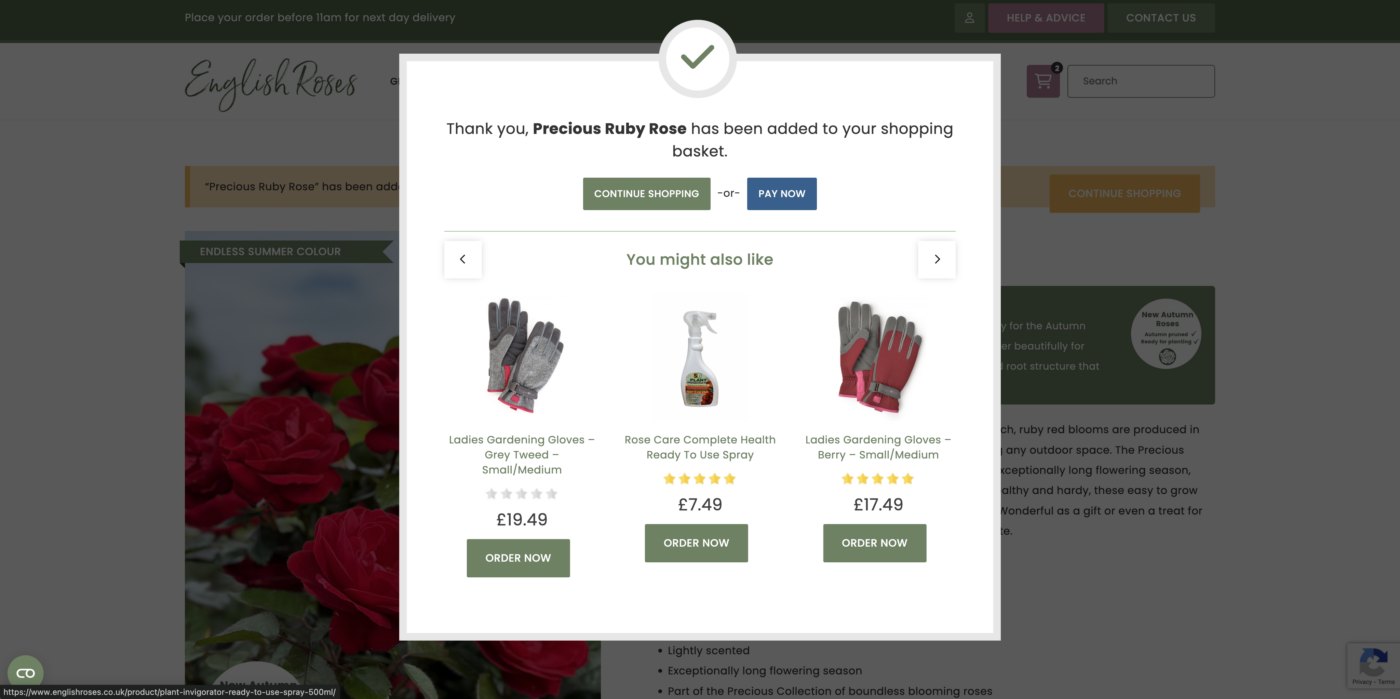
You can choose to continue shopping or go to checkout.
12. Checkout #
Check through all the details and see everything that has been added to the basket.
You can also add any gift card or discount codes in the boxes at the top.
When you are happy with this, click Proceed to Checkout’.
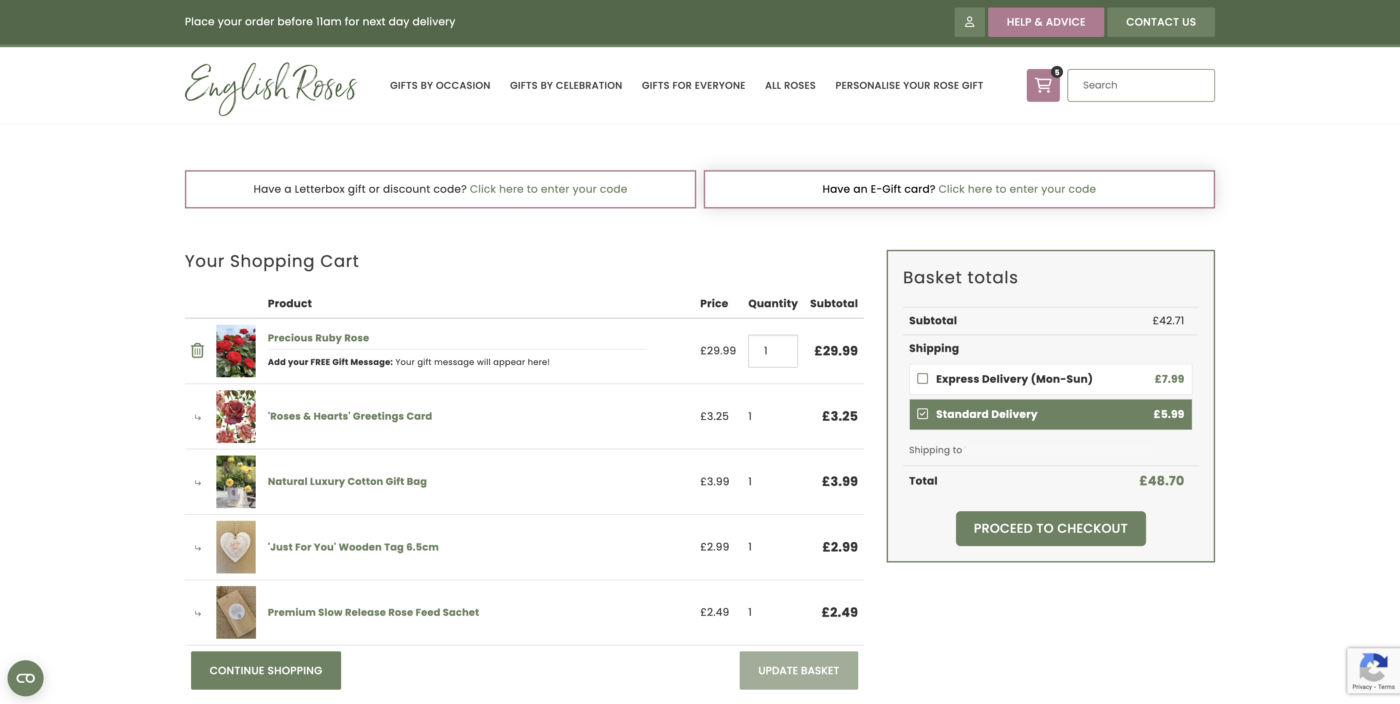
13. Enter the Details #
Enter all the relevant details in the boxes.
You can also add any gift card or discount codes in the boxes at the top.
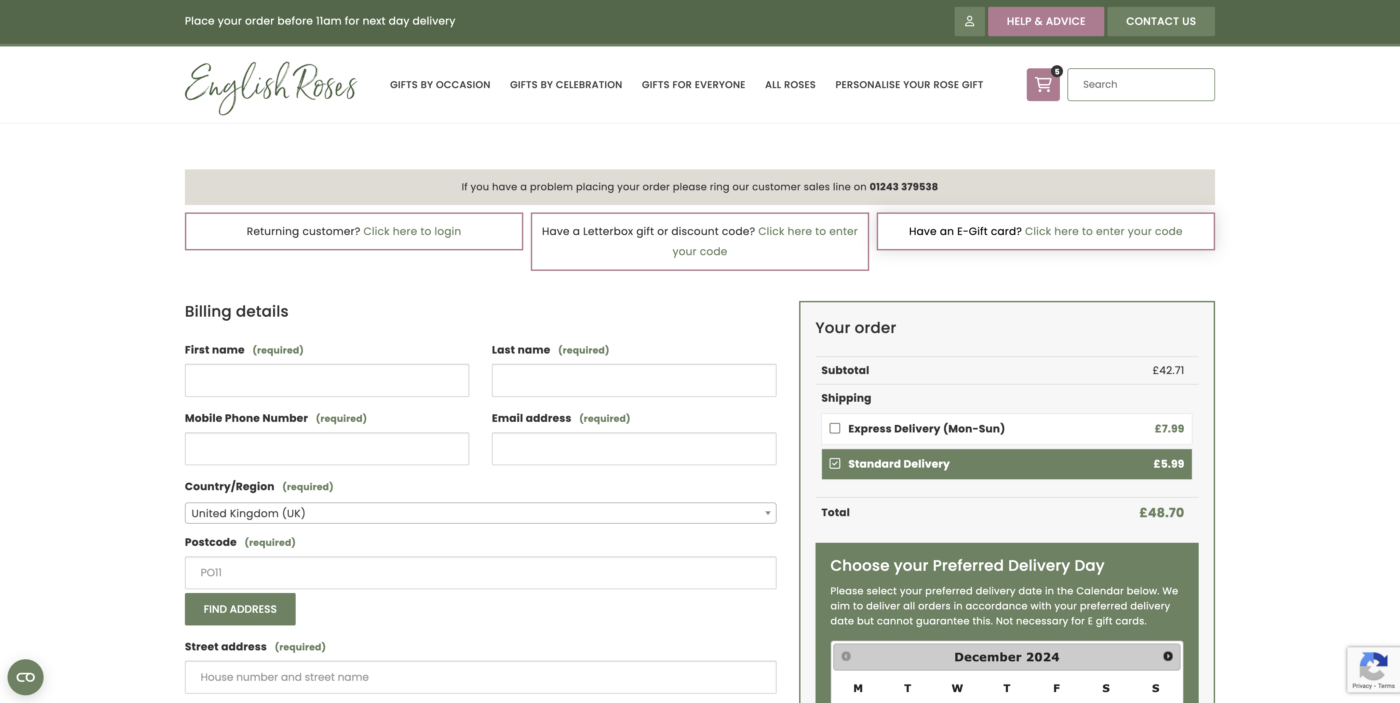
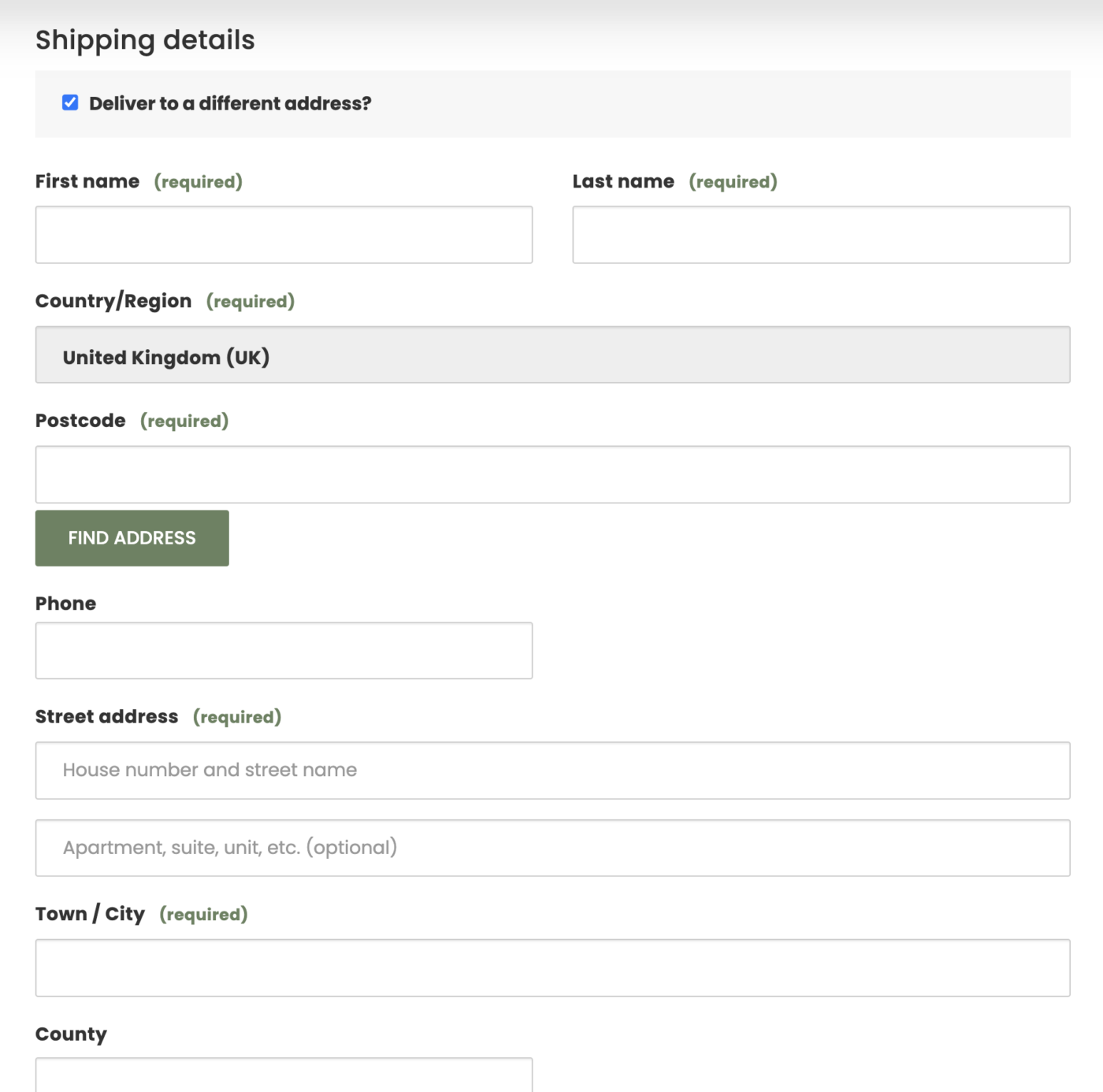
13. Deliver to the Recipient #
If you would like the rose to be delivered to another address, tick the box. You can then fill in their details and a secure location.
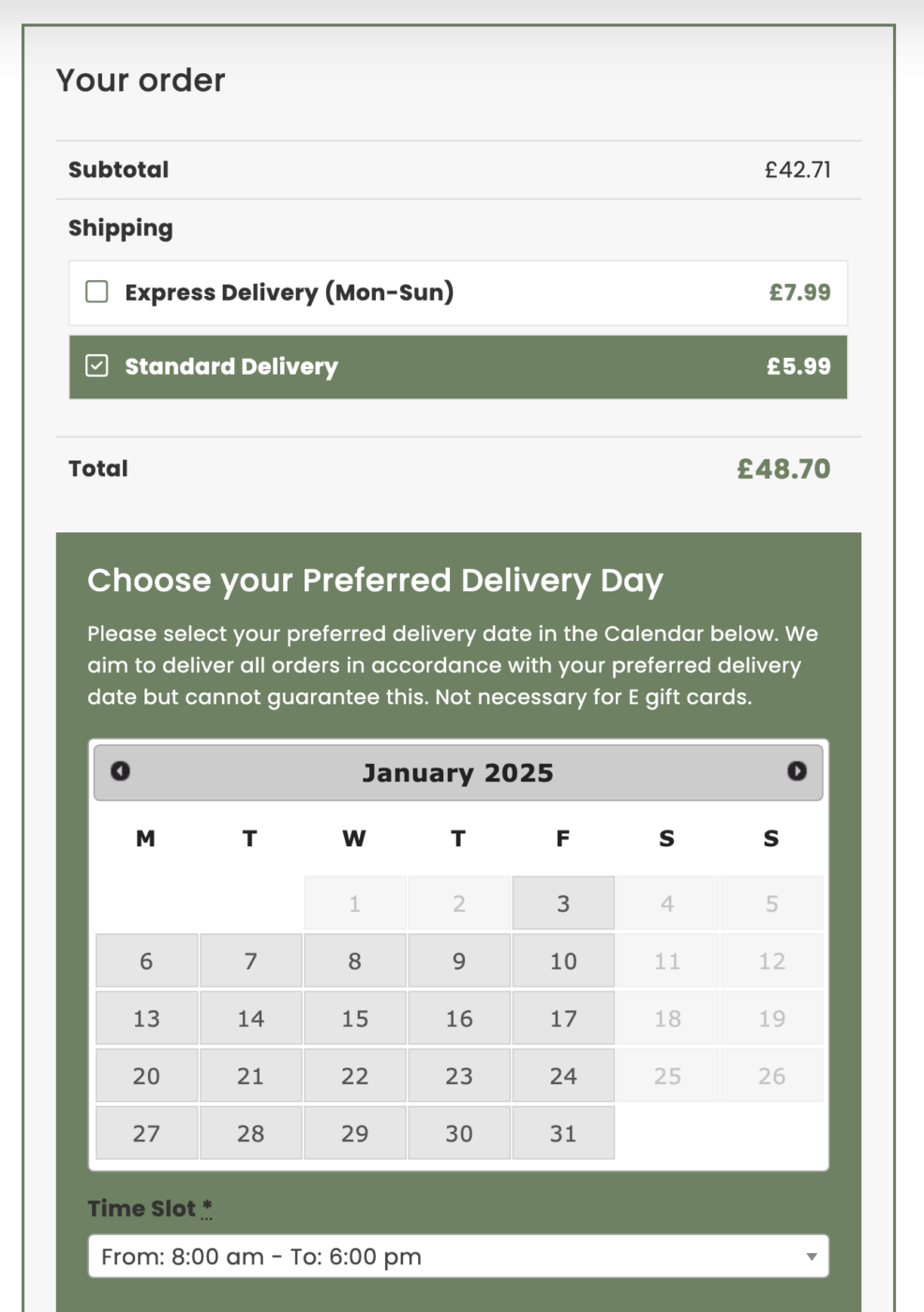
13. Delivery Details #
Once a delivery address has been entered, the calendar will appear. This gives you the options for Express or Standard Delivery. The available dates will appear and you can choose your preferred date.
Please note: While we guarantee that we dispatch your order in accordance with your chosen date, we cannot 100% guarantee the delivery date in case of unforeseen delays with DPD. DPD delivery is fully trackable and they will keep you updated.
Please see our delivery page for more details.
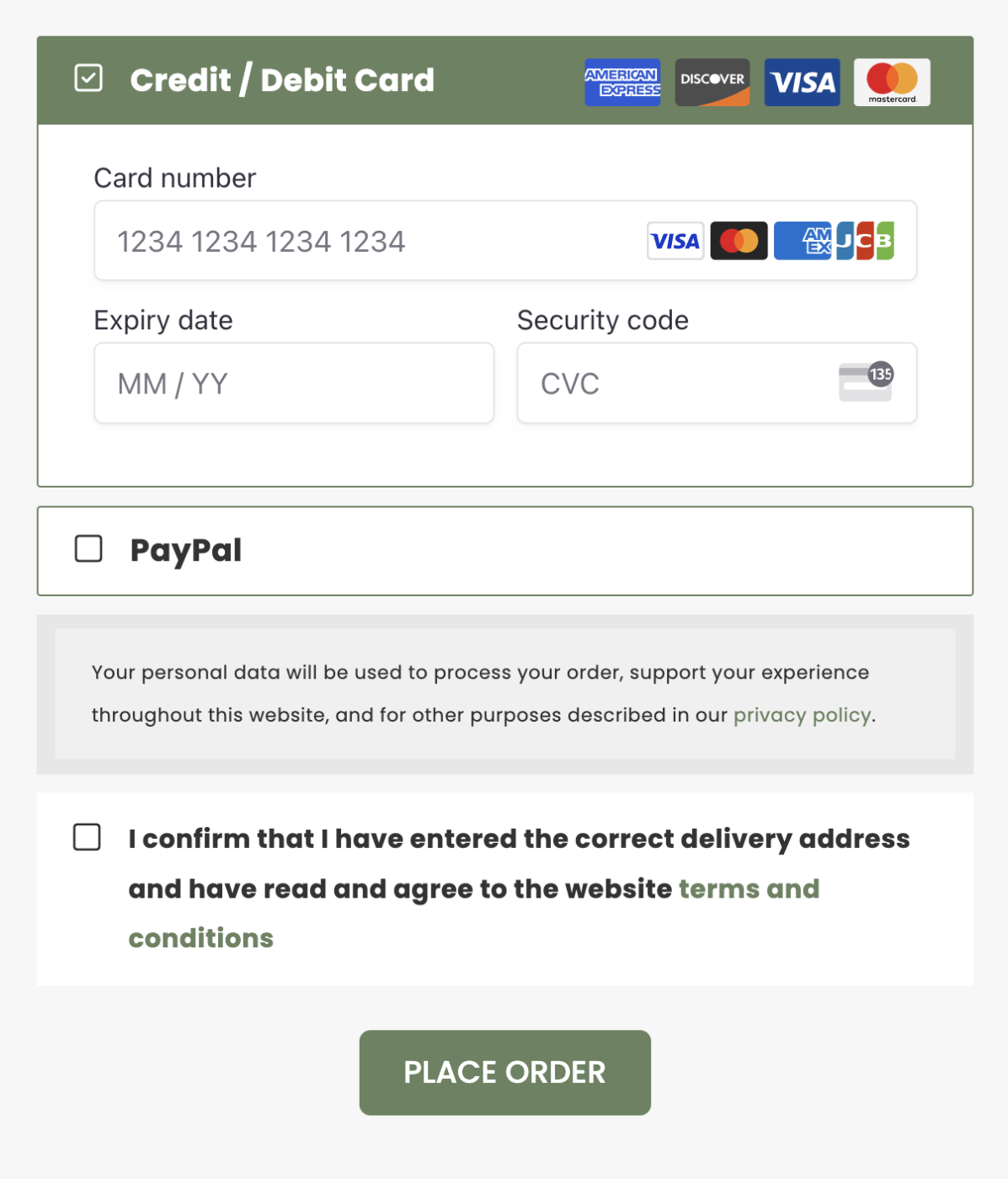
14. Payment Details #
Once all the details have been entered and checked, complete the payment details. Then tick the terms and condition.
Click ‘Place Order’ to complete the order.
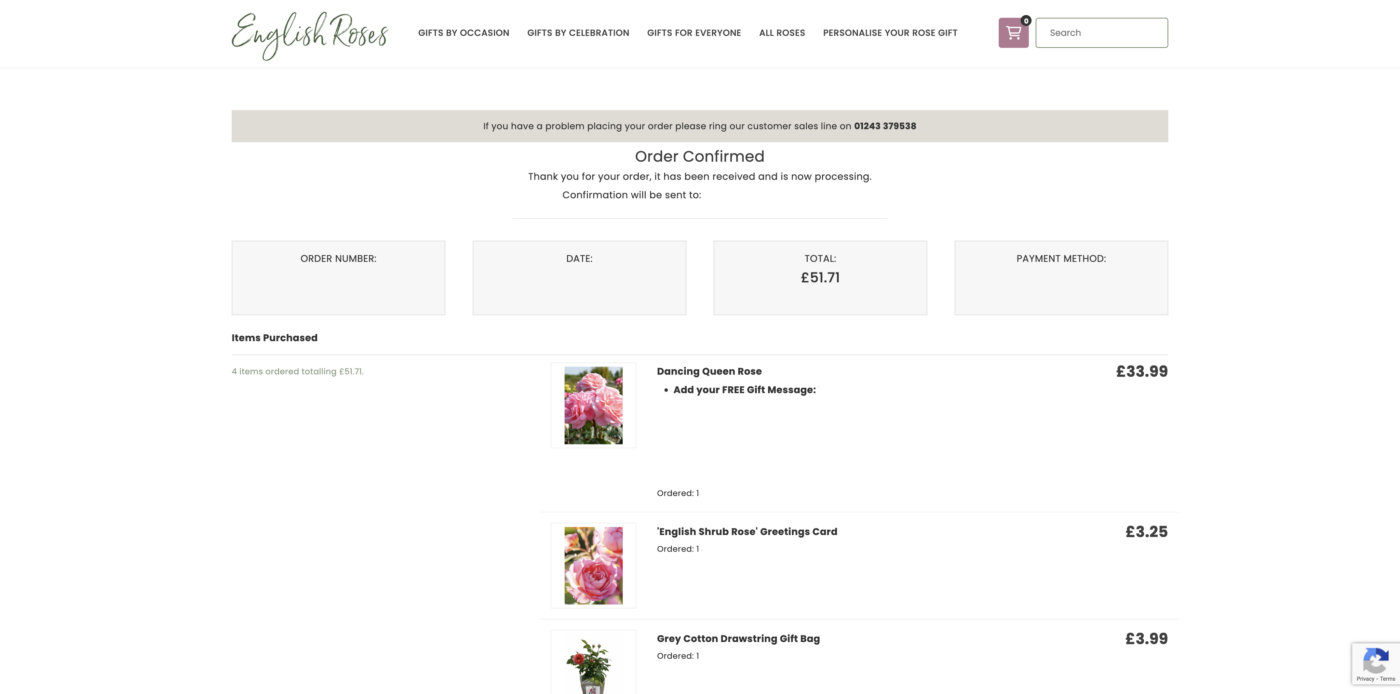
15. Order Confirmed #
When the order has gone through, it will take you to the Order Confirmed page. This contains your order number and the order details.
You will also receive an email confirmation. Please read all the details. If you don’t receive this email, check your spam/junk folder and then contact us.
All the details of your order that we hold are in this email. If anything is incorrect or missing, please let us know as soon as possible. We are unable to make changes to an order once it has been dispatched.
15. Wait for the Delivery #
While we get your order picked and ready for dispatch, you will receive order updates from us. You will also receive DPD emails with the delivery details and a 1-hour time slot on the day of delivery.
We guarantee to dispatch your order in accordance with the requested date on your order. This does not guarantee the delivery date – DPD reserves the right to deliver earlier or later, in accordance with their schedule.
You are able to rearrange your delivery, provide secure location details, and much more via the DPD app or website. English Roses is not responsible for any changes made after dispatch.
Please see our delivery guidance for further details.

15. Enjoy the Rose! #
Once the rose has been delivered, make sure it has been taken out of the packaging and placed outside.
See our helpful videos on how to unpack your rose.
For more care information, see our other help guides.